Did My Jeep Radio Screen Go Black?
Dealing with a blacked-out Jeep radio screen can be really frustrating, especially when all you want is to enjoy your drive. You’re not alone—many Jeep owners struggle with this issue at some point. It’s a common problem that can stem from various causes, but luckily, there are ways to troubleshoot and fix it.
If your Jeep radio screen goes black, it could be caused by electrical issues, software glitches, or physical damage. Check your fuses, wiring, and guarantee the system is up to date.
Temperature changes and moisture can also impact the display’s function. Resetting the system or inspecting hardware might help.
If the problem persists, seeking professional help is a good idea. Keep exploring the possible causes to find a solution tailored for your situation.
Key Takeaways
- Check for any software glitches or outdated firmware that might cause the screen to freeze or turn black.
- Inspect electrical connections, fuses, and wiring for looseness or damage.
- Consider climate factors like moisture or extreme temperatures that could impact the display.
- Reset the system or try updating the software to fix temporary glitches.
- Look for signs of physical damage or impact that might have caused the display to fail.
Why Is My Jeep Radio Screen Black? Common Causes Explained
When your Jeep’s radio screen suddenly goes black, it signals that something’s not working right. A common cause is an issue with the multimedia system, maybe linked to the audio soundbar or Bluetooth.
If the Bluetooth connection drops, the screen might go dark while trying to reconnect or reset. Problems with the audio soundbar can also disrupt the display, especially if it’s part of the infotainment system.
Sometimes, loose or damaged connections behind the dash cause the screen to lose power or signal. Software glitches or outdated firmware may also be to blame, leading to a frozen or black screen.
Loose connections or outdated firmware can cause your Jeep’s display to freeze or go black.
It’s important to check these components to find the root cause. Simply resetting the system or updating the firmware can often fix the problem.
If issues continue, professional help might be needed to inspect wiring or replace faulty parts.
How to Check Your Jeep’s Fuses and Electrical Connections
Fuses and electrical connections are often the culprits behind a black or unresponsive Jeep radio screen. Start by turning off your vehicle and locating the fuse box, which is usually under the dashboard or in the engine compartment.
Check the owner’s manual for the exact fuse diagram. Look for a blown fuse, which will appear melted or cracked. Use a fuse puller or needle-nose pliers to carefully remove and inspect the fuse.
If you find a blown fuse, replace it with one of the same amperage. Also, examine the wiring behind the dashboard for loose or corroded connections, especially near the Bluetooth components.
Make sure the connectors are snug and free of debris. While inspecting, turn on your vehicle and check the dashboard lights to verify power flow.
A secure fuse and proper wiring connection often restore the power needed for your radio to work properly.
Can Software Glitches Cause Your Jeep Radio to Go Dark?
Hey, have you ever wondered if a software glitch could be the reason your Jeep’s radio suddenly goes dark? It turns out, it’s actually pretty common. Sometimes, a quick software update or even just resetting the infotainment system can do the trick. These simple fixes often bring your display back to life without the need for a trip to the repair shop. So, before you worry too much, trying a quick reset might just solve the problem!
Software Update Solutions
Software glitches are a common reason your Jeep’s radio screen might go dark, especially after updates or system changes. Sometimes, these glitches can cause ghost touches or flickering, making the display unresponsive or erratic.
To fix this, check if your system has any available software updates from the manufacturer. Updating your infotainment software can fix bugs that cause black screens or weird behavior.
You can use the vehicle’s built-in update feature or download updates from the official Jeep website onto a USB stick. Just follow the instructions carefully to avoid problems.
Avoid installing unofficial updates, as they can cause even more issues. Keeping your system up to date regularly helps prevent glitches that lead to black screens.
If problems keep happening, reaching out to a Jeep professional for help is your best option.
Resetting the Infotainment System
When updating your Jeep’s infotainment system doesn’t fix a black screen, resetting it can often bring it back to life. A reset can fix temporary software glitches that cause the screen to go dark and can also improve audio quality.
To reset, usually, you’ll press and hold specific buttons or access a hidden menu through the setup options. Doing this can restore your entertainment options and bring back your audio experience.
If the reset doesn’t work, it might be a deeper software issue, but it’s a good first step. Keep in mind that resetting may temporarily erase saved settings, so be ready to reconfigure your preferences afterward.
Often, a simple reset clears up glitches and lets your system run smoothly again.
How to Reset Your Jeep Radio System for Troubleshooting
Sure! If you’re trying to reset your Jeep radio, a good first step is to power it off and then turn it back on after a few seconds. Sometimes, a simple restart can fix minor glitches.
Next, it’s worth taking a quick look at the fuses and wiring connections. Make sure everything’s connected properly and that no fuses are blown—this can often cause issues with the radio.
And if it’s still acting up, you might want to reset the system settings to their default. That can help clear out any glitches that might be causing trouble.
Power Cycle Radio
If your Jeep radio screen has gone black or is unresponsive, a power cycle can often fix the problem. To do this, turn off your vehicle and wait about a minute to let the system fully shut down.
Then, restart your Jeep and give the system a moment to reset. This simple step can fix minor glitches and help restore features like music streaming and voice commands.
It clears temporary bugs that might be stopping the screen from working properly. Once you’ve restarted, check to see if the display looks normal again and if you can use voice commands.
Power cycling is a quick and effective way to troubleshoot without needing to get into complex settings or tools. It often gets your Jeep’s infotainment system running smoothly again.
Check Fuses and Connections
Checking the fuses and connections is a simple way to reset your Jeep’s radio and spot power issues. Start by looking at the fuse box for any blown fuses related to the radio or infotainment system.
Replacing a blown fuse can restore power immediately and fix that black screen. Then, check the wiring behind the dash to make sure everything’s secure and undamaged.
Loose or corroded connections can disrupt audio and turn off features like music customization or voice commands. While you’re at it, verify that the climate control wires aren’t interfering with the radio’s connection.
Ensuring these connections are tight and free of corrosion often resolves power problems. Doing this can bring your radio back online, restore full functionality, and enable features like voice commands and personalized music settings.
Reset System Settings
Sometimes, resetting your Jeep’s radio system can fix ongoing issues and bring it back to normal. To do this, find the system menu and select the reset option, which usually clears glitches affecting interior lighting and sound quality.
Before you start, make sure the vehicle is parked and turned on. You might need to press and hold certain buttons, like the volume knob and radio power button, at the same time for about 10 seconds.
This resets the settings to their default, which can fix black screens and make the system work better overall. Just be aware that saved preferences like radio presets or display setups will be erased.
Resetting can help stabilize how the system runs, bring back bright interior lighting, and improve sound quality, making your driving smoother and more enjoyable.
Are Damaged Display Panels Causing the Issue?
Damaged display panels are often the main reason your Jeep’s radio screen suddenly turns black. If you see cracks or other visible damage on the display, it can interrupt the connection between the touchscreen and the vehicle’s electronics.
This kind of damage usually happens from impacts, extreme temperatures, or manufacturing issues. Even small cracks can cause problems like broken pixels or loose ribbon cables, making the screen go dark.
To check if this is the cause, look carefully for any visible cracks or damage on the display. If you find any, replacing the display panel or getting it professionally repaired is usually necessary.
Keep in mind, a damaged display doesn’t just make it hard to see what’s on the screen. It can also stop you from using features like navigation or audio controls properly.
Could Your Battery or Alternator Be Affecting Your Radio?
Could your Jeep’s battery or alternator be causing your radio screen to go black? Poor battery health can lead to not enough power, making electronic parts like your display act up.
If your battery is old or weak, it might not give steady voltage, which can make your screen go dark. Alternator issues can also cause problems—if it’s not charging the battery properly, your vehicle’s electrical system, including the radio, might experience power dips.
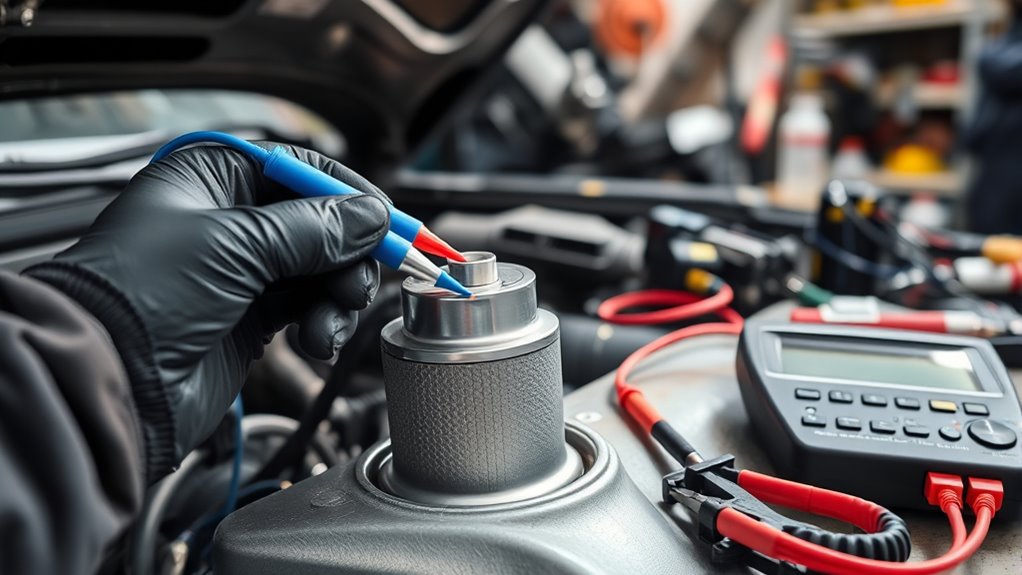
This fluctuation can make your screen turn off or go black. To check, test your battery’s voltage with a multimeter. It should read around 12.6 volts when the engine is off and about 13.8 to 14.4 volts when running.
If these numbers are off, or if your lights look dim and your vehicle feels sluggish, it’s time to look into your battery health and alternator. Fixing these issues can restore proper power and solve display problems.
How Climate and Moisture Can Impact Your Jeep’s Display
High humidity can cause moisture to build up inside your Jeep’s display, which might make the screen foggy or leave streaks on it. When the air’s really humid, it can be a real problem for the electronics.
And if there’s a sudden temperature change—like going from a cold garage to a hot day—that can put extra stress on the components. Over time, this kind of exposure to different climates and moisture can actually shorten how long your display lasts and how well it works.
Humidity’s Effect on Screen
Humidity can significantly affect your Jeep’s display, especially in damp environments. Excess moisture can cause fogging or condensation inside the screen, making it go black or unresponsive.
High humidity levels can also make it harder to see the display clearly by impacting the interior lighting. If your screen isn’t properly oriented, moisture can collect around the edges and increase the risk of damage.
Over time, constant exposure to humidity can harm the internal components, leading to display malfunctions. To prevent this, keep your interior dry and well-ventilated and avoid parking in very humid areas.
Regularly check your screen for signs of moisture buildup. You might also want to adjust the screen orientation or seal it to reduce exposure to humidity.
Temperature Fluctuations and Damage
Temperature fluctuations can cause your Jeep’s display to malfunction or get damaged over time. Extreme heat or cold can lead to issues like erratic touch sensitivity or misaligned screens.
To help prevent this, try not to leave your vehicle in direct sunlight or freezing temperatures for too long. Using a sunshade or parking in shaded areas during hot weather can make a big difference.
Allow your vehicle to warm up or cool down before you start using the touchscreen. Regularly check for signs like flickering or unresponsiveness, which might mean temperature damage is happening.
When Should You Seek Professional Jeep Radio Repair Help?
While some minor issues with your Jeep’s radio might be fixable on your own, there are clear signs that it’s time to seek professional help. If your radio keeps failing to connect to music streaming services or struggles to recognize voice commands, those are red flags indicating underlying problems that need an expert.
Persistent black screens or unresponsive displays can point to hardware failures that simple resets or troubleshooting won’t fix. Plus, if your audio cuts out unexpectedly or the touchscreen flickers and becomes unresponsive, it’s a good idea to have a professional take a look.
Unresponsive screens or flickering touchscreens signal hardware issues beyond simple resets—seek professional help promptly.
Ignoring these issues could affect other vehicle systems, so don’t delay. If basic troubleshooting doesn’t restore normal function or you notice repeated performance problems, consulting a qualified technician is the smart move.
Getting expert help ensures your Jeep’s radio gets properly fixed, so you can enjoy seamless music streaming and easy voice commands again without stress.
Tips to Prevent Your Jeep Radio Screen From Going Black
Preventing your Jeep radio screen from going black starts with regular maintenance and being mindful of how you use it. Make sure all electrical connections are secure to avoid loose wiring that could cause screen problems.
When you’re customizing your interior, choose reputable aftermarket upgrades to prevent compatibility issues. Also, consider these helpful tips:
- Upgrade with quality parts: Use trusted aftermarket components to ensure your upgrades are durable and compatible.
- Update firmware regularly: Keeping your infotainment system’s software up to date can prevent bugs that cause the screen to go black.
- Avoid extreme temperatures: Protect your Jeep from overheating or very cold weather, as harsh conditions can affect electronic parts.
- Use gentle controls: Handle your touchscreen carefully to prevent damage or wear that might lead to a screen failure.
Staying on top of these tips helps minimize risks and can extend the lifespan of your Jeep’s display. Proper care means you’ll enjoy reliable use with fewer interruptions from black screens.
Step-by-Step: How to Fix a Black Screen on Your Jeep Radio
If your Jeep radio screen has gone black, don’t panic—there are simple steps you can try to diagnose and fix the issue. First, try resetting your radio: turn off your vehicle, then disconnect the battery for about 10 minutes. This resets the system and might bring back the display.
Next, turn your vehicle back on and see if the screen starts working. If it’s still black, check your Bluetooth connection; sometimes a poor connection during streaming can cause display problems. Disconnect and re-pair your device if needed.
Also, make sure your system is up to date. Outdated firmware can cause bugs that affect the display. If none of these steps work, it could be a hardware problem, and visiting a professional is your best bet.
Regularly updating your system and managing Bluetooth connections can help prevent future black screens during your music sessions.
Frequently Asked Questions
Can Aftermarket Stereo Systems Cause the Original Screen to Go Black?
Aftermarket stereo systems can cause your Jeep’s original screen to go black if they’re not fully compatible or if wiring problems happen.
Poor audio compatibility or improper wiring connections might disrupt the existing display or power supply, leading to a black screen.
Make sure to double-check all wiring and select an aftermarket system built for your vehicle.
Consulting a professional can help ensure compatibility and prevent these issues altogether.
Is a Software Update Necessary to Fix a Black Jeep Radio Screen?
Yes, a software update can fix a black Jeep radio screen caused by software glitches or battery drainage.
You should check for available updates through your dealership or the manufacturer’s website.
Updating the software can resolve bugs that cause the screen to go black and improve overall system stability.
It can also prevent future issues related to battery drainage.
Make sure to follow proper procedures or seek professional help for a safe and effective update.
How Long Does a Typical Jeep Radio Reset Take to Resolve Display Issues?
A stitch in time saves nine; resetting your Jeep radio usually takes about 10-15 minutes. During this time, it can fix display issues, restore Bluetooth connectivity, and resolve minor glitches in your audio system.
If problems stick around, you might want to consider professional audio system repair. The quick reset often helps you avoid more extensive repairs.
In the end, it’s a simple step that can make your infotainment system work smoothly again.
Are There Specific Jeep Models More Prone to Screen Blackouts?
Certain Jeep models, especially older Wranglers and Cherokees, are more prone to screen blackouts because of issues with the interior and screen durability. These models often get black screens from common problems like loose connections or faulty wiring.
If you notice a blackout, check these components first. Upgrading to newer models with better interior design and stronger screens can help prevent display issues down the line.
Can Extreme Temperatures Permanently Damage the Jeep’s Display Screen?
Just like Icarus soaring too close to the sun, exposing your Jeep to extreme temperatures can cause lasting damage to your display. High heat can warp or crack the screen, while cold can make the components brittle.
Battery corrosion and a failing cooling system make these risks worse, leading to permanent damage. To protect your investment, park in shaded areas and verify your cooling system is working.
Check for corrosion regularly to keep everything in good shape. Taking these simple steps can save you from costly repairs down the line.
Conclusion
If your Jeep radio screen has gone completely dark, don’t panic. You’re not alone, and most issues are fixable.
Try checking the fuses, resetting the system, and inspecting for any damage. You might be surprised how often these simple steps can restore your display quickly.
If the problem still isn’t resolved, it’s a good idea to seek professional help. A black screen isn’t the end of your adventure—just a temporary obstacle on your journey back to driving bliss.