How to Reset Uconnect in Jeep in Five Easy Steps
Many Jeep owners know the frustration of dealing with a sluggish or unresponsive Uconnect system. You’re not alone—many people struggle with connection issues or glitches that disrupt their driving experience.
To reset your Jeep’s Uconnect system in five simple steps, start by backing up your data and ensuring all tools and conditions are ready. Turn off your vehicle completely and disconnect Bluetooth devices.
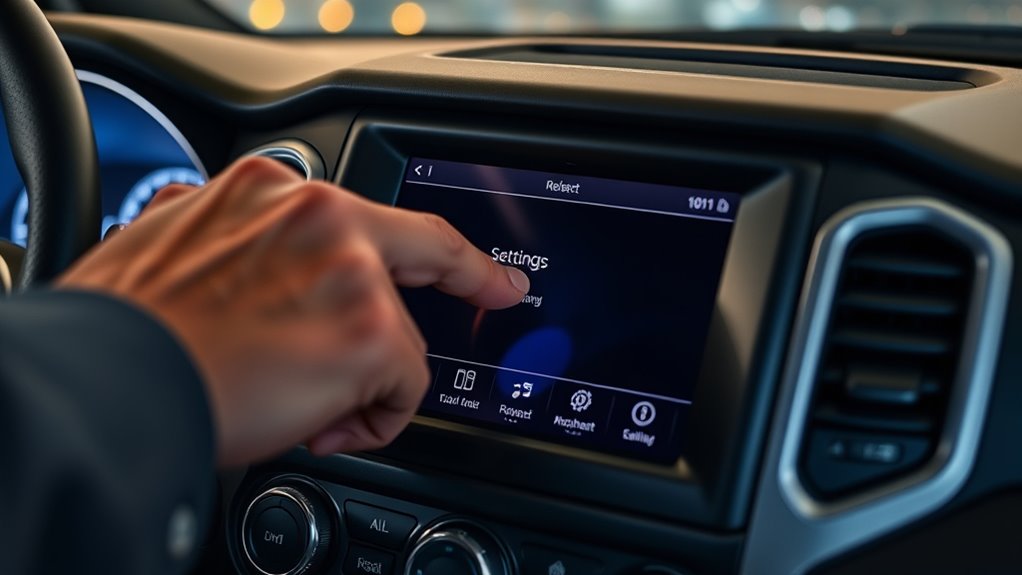
Access the reset options on the touchscreen by going to Settings or System, then choose the reset or restore options.
You can perform a soft reset by holding the volume and tune knobs or opt for a full reset if needed.
Finally, restart your vehicle and test the system. If issues persist, more tips are available to help you get your Uconnect back to smooth operation.
Key Takeaways
- Fully turn off your Jeep and disconnect any Bluetooth devices before you get into the system settings.
- Then, go to “Settings” > “System” > “Reset” on the touchscreen.
- Choose the reset option you need, like resetting Bluetooth or doing a full system reset.
- You can also perform a soft reset by restarting the vehicle or holding the volume and tune knobs at the same time.
- Once you’ve done that, check if everything’s working properly. If problems stick around, consider updating the software or re-pairing your devices.
Why Resetting Your Jeep Uconnect Fixes Common Problems
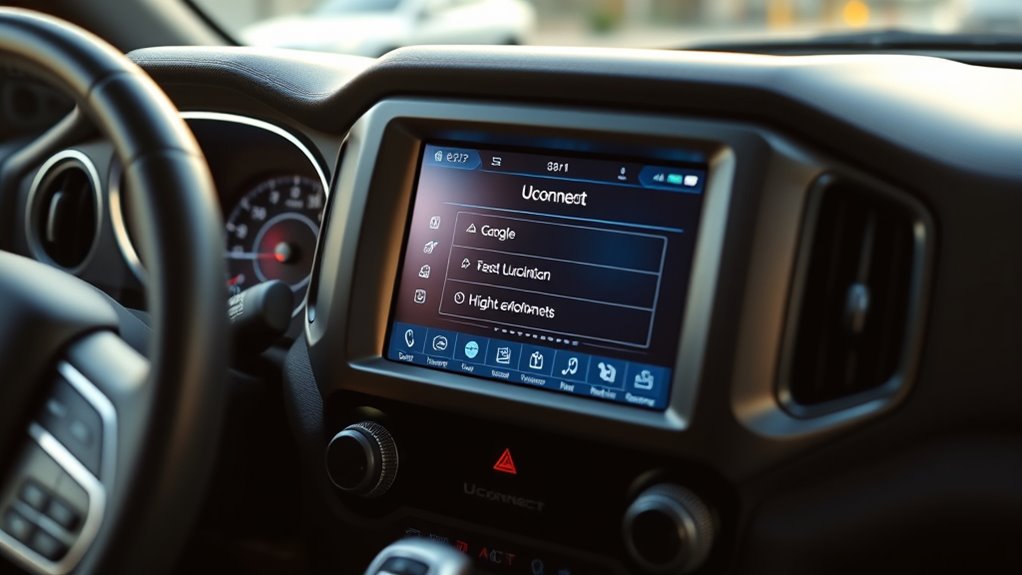
Resetting your Jeep Uconnect can solve a lot of common problems because it clears out temporary glitches and resets the system’s settings. If your system freezes, lags, or crashes, it’s usually caused by software conflicts or outdated files.
A weak or dying battery can also cause issues with Uconnect’s functions. Regular battery maintenance helps prevent interruptions and glitches. Resetting the system refreshes it, which often smooths out performance problems.
Software updates are really important. If your Uconnect isn’t running the latest version, bugs and errors can stick around. Resetting prompts the system to check for updates or reinitialize its software, fixing issues from earlier versions.
Keeping your vehicle’s battery in good shape and making sure your software stays current really helps minimize these problems. Resetting is a quick troubleshooting step that clears temporary data and makes your Uconnect system more stable, responsive, and reliable.
How to Prepare for a Uconnect Reset in Your Jeep
Before you go ahead with resetting the Uconnect system, it’s a good idea to gather any tools you might need and make sure you’ve saved all your important data. It’s like getting everything ready so nothing gets lost or confused during the process.
And don’t forget to turn off your vehicle first—this helps prevent any mishaps while you’re working on the system. Just a couple of simple steps to keep things smooth and safe!
Gather Necessary Tools
Gather all the tools you’ll need ahead of time to ensure you’re prepared for a Uconnect reset. You might want a clean cloth or paper towel to wipe down surfaces if necessary.
Make sure your climate control isn’t set to extreme temperatures, as that could interfere with the reset process. It’s also a good idea to have a stable power source nearby, like a charged phone or portable charger.
Having your keys and remote within easy reach will allow you to control vehicle functions during the reset. Keeping everything accessible helps prevent disruptions once you start.
Getting these tools ready beforehand makes the reset smoother and avoids any delays or surprises.
Save Important Data
Since a Uconnect reset can erase personalized settings and stored data, it’s important to back up any critical information first. If you use music streaming apps or have Bluetooth devices paired with your Jeep, make sure to save these settings outside the system.
Note down your favorite playlists or download music for offline access, as reset might delete your saved preferences. For Bluetooth pairing, record the device names and connection details to easily reconnect after the reset.
Check your smartphone or device settings so you can re-establish seamless music streaming and Bluetooth connections later. Preparing these details guarantees minimal disruption, saving you time and frustration when restoring your preferred audio and connectivity options after the reset.
Turn Off Vehicle
Switch off your Jeep completely and remove the key from the ignition if your model uses one. It’s important to turn off the vehicle to ensure all systems shut down properly before starting the Uconnect reset.
This step helps prevent any issues with interior design elements or Bluetooth connection during the reset process. Make sure all your doors are closed and your vehicle is in park.
Disconnect any devices linked via Bluetooth, like your phone, to avoid interruptions. Clear the console area for easier access, and double-check that the interior lighting is off to save battery.
Turning off your Jeep properly creates a stable environment for the reset. This way, the Uconnect system resets smoothly without interference from active connections or other operational factors.
Finding the Reset Option in Your Uconnect Menu
Looking to find the reset option in your Uconnect menu? It’s quite straightforward. Just start by navigating through your Uconnect on the main screen. You’ll want to look for the settings or system section—that’s usually where the system management options are tucked away.
Once you’re in that section, keep an eye out for the reset or restore settings option. That’s what you’ll need to select to proceed with the reset. Easy as that!
Navigating the Uconnect Menu
Accessing the reset option starts with steering through your Uconnect menu on your Jeep’s touchscreen. To find the reset feature, tap the menu icon, then navigate through options related to driver comfort and audio settings.
Look for sections labeled “Settings,” “System,” or “Preferences.” Focus on areas that control your audio and comfort options, as these often have reset choices.
Use the touchscreen to scroll through options smoothly. Tap the “Settings” or “System” menu. Then locate “Reset” or “Factory Reset” options within the submenus.
Confirm your selection to initiate the reset process.
Locating Reset Options
Where exactly can you find the reset options in your Uconnect menu? Usually, they’re inside the Settings or Apps section.
To reset Bluetooth pairing or fix issues with music streaming, look for options labeled “Phone,” “Bluetooth,” or “Connectivity.” These sections often have toggle or reset functions to clear paired devices or refresh the system.
If you’re troubleshooting problems with music streaming or Bluetooth, resetting from these menus can often do the trick. Just go into the menu, find the right subsection, and select the reset or pair device option.
This simple step refreshes your Uconnect system, helping it work better and fixing issues with music streaming and Bluetooth connections.
How to Soft Reset Your Uconnect System
Sometimes, your Uconnect system might freeze or experience minor glitches, but you can often fix these with a quick soft reset. This resets the system without erasing any personal data and helps restore functions like wireless connectivity and voice recognition.
A quick soft reset can fix Uconnect glitches without losing personal data.
To perform a soft reset: turn off your vehicle and wait about a minute. Then, restart the engine and keep the Uconnect system on. Check if the system responds properly on the touchscreen.
If it still doesn’t respond well, press and hold the volume and tune or scroll knobs together for 10 seconds until the screen resets. This quick fix can resolve minor freezes and improve overall performance.
Regular soft resets are a fast, simple way to keep your Uconnect system running smoothly without the need for a full reset or complicated procedures.
When and How to Perform a Full System Reset
If your Uconnect system isn’t responding or acting a bit strange, it might be a good idea to do a full reset. Before you jump into that, make sure your vehicle is parked safely and the ignition is turned on. This way, you won’t risk losing any important data. Just follow the steps carefully, and you’ll have your system back on track in no time!
Signs for Reset Needed
Have you noticed your Uconnect system freezing, lagging, or acting erratically? These could be signs that a reset is needed to keep everything running smoothly and avoid issues during your drive. Recognizing when to reset can help you stay on top of vehicle maintenance and prevent glitches that might cause problems on the road.
Consider resetting if you see repeated system crashes or freezes. An unresponsive touchscreen or controls, audio or navigation errors that won’t go away, or persistent connectivity issues are also good signs.
Performing a reset can improve functionality and help your vehicle’s tech stay in top shape.
Don’t ignore these signs; addressing them early means a better driving experience. Proper maintenance now can prepare your Jeep for whatever’s ahead.
Preparing for Reset Process
Wondering when and how to perform a full system reset on your Jeep’s Uconnect? You should consider it if you notice issues with your climate control system, tire pressure alerts, or persistent glitches that don’t resolve with simple resets.
Before starting, make sure your vehicle is parked and turned off. Check the tire pressure to confirm all tires are properly inflated since incorrect pressure can mess with system readings. Also, double-check your climate control settings for any oddities.
Performing a full reset clears temporary glitches and restores default settings, but it’s good to be prepared. Have any necessary codes or login details handy, and make sure you’re in a safe environment. This way, you’ll ensure a smooth, effective reset process.
Step-by-Step Reset Method
To perform a full system reset on your Jeep’s Uconnect, start by turning on your vehicle and making sure the main screen is active.
Next, consider the timing and surroundings. Avoid resetting during harsh weather conditions or if your charging cables aren’t properly connected, as power fluctuations can affect the process.
Make certain your vehicle is parked in a safe, dry location. Confirm the engine is running and the power supply is steady.
Disconnect and reconnect charging cables for a stable power flow. Wait a few minutes after reconnecting to let the system properly reboot.
Performing the reset in suitable weather conditions and with proper charging cables helps avoid glitches or incomplete resets, making sure your Uconnect system functions smoothly afterward.
Confirming the Reset and Restarting Your Jeep
Once you’ve reset your Uconnect system, it’s important to make sure the reset was successful before restarting your Jeep. Turn on your vehicle and check the entertainment options to see if they load correctly.
Next, go to the audio settings and verify that your preferred configurations, like volume and tone, are still there. If everything looks good, it means the reset worked properly.
Take a moment to explore the touchscreen interface and make sure all functions respond as they should. Confirming these things helps prevent issues when you restart your Jeep.
After that, turn off your vehicle and then turn it back on. Restarting the system allows the Uconnect to initialize fully and finish the reset process.
Troubleshooting Uconnect Issues That Persist After Reset
Even after resetting your Uconnect system, some issues might still stick around, needing more troubleshooting. If voice recognition isn’t responding well or Bluetooth keeps dropping, try these steps.
First, make sure your smartphone’s software is up to date. Next, delete and re-pair your Bluetooth devices to fix connection issues.
Check the microphone for any obstructions or dirt that could affect voice commands. Then, go into the Uconnect settings to reset features like voice recognition to their defaults.
Sometimes, a software update for the Uconnect system itself is necessary. If problems continue, you can try disconnecting the vehicle battery temporarily to reset the whole system.
These tricks can help improve voice and Bluetooth performance, making your drive smoother and more enjoyable.
Tips to Prevent Uconnect Glitches in Your Jeep
Regular maintenance and mindful usage can significantly cut down on Uconnect glitches in your Jeep. One of the most important steps is to regularly check for infotainment updates, as manufacturers often release improvements that fix bugs and boost stability.
Keeping your system updated helps ensure it runs smoothly and reduces connectivity issues. Avoid overloading it with unnecessary apps or settings, which can cause delays or crashes. When exploring menus or streaming content, try to do so calmly to prevent system overloads.
If you notice frequent connectivity problems, try resetting your Bluetooth and Wi-Fi connections often or restarting the system periodically. Also, make sure your smartphone software is current because outdated devices can interfere with Bluetooth pairing.
Staying on top of updates and practicing mindful usage can help reduce glitches, extend your Uconnect system’s lifespan, and make your driving experience more reliable and enjoyable.
When to Visit the Dealership for Uconnect Support
Despite your best efforts to keep your Uconnect system updated, some issues might still linger beyond simple troubleshooting.
If your entertainment options are patchy or features like climate control and displays aren’t working right, it might be time to visit the dealership.
You should consider a professional check if the system keeps freezing or rebooting unexpectedly, or if it won’t recognize your Bluetooth devices or smartphone connections.
Persistent audio or navigation glitches are also signs that something’s off. And if updates or app restorations aren’t working, a dealership visit can help fix the problem.
Getting your Uconnect inspected at the dealership ensures any hardware or software issues are properly addressed. This is especially important when malfunctioning affects your entertainment or interior comfort, making your drive less enjoyable.
Don’t try forcing fixes yourself if problems keep happening. Professional support guarantees your Jeep’s systems are working perfectly so your drives stay smooth and fun.
Next Steps If Resetting Doesn’t Fix Your Uconnect
If resetting your Uconnect hasn’t fixed the issues, it’s time to look into other solutions. Start with some advanced troubleshooting, like checking for software updates. Manufacturers often release updates that fix bugs and make systems more stable.
You can usually find the update option in your Jeep’s settings menu or through the manufacturer’s app. If updating the software doesn’t solve the problem, you might consider doing a master reset or factory reset. Just keep in mind, this will erase any custom settings you’ve saved.
If problems continue even after updates and resets, it’s best to contact your dealership or a certified technician. They can do more in-depth diagnostics, which could include checking the hardware or making repairs. Never ignore ongoing issues—they could impact your safety or how your vehicle works.
Taking these steps will help cover all your options before seeking professional support.
Frequently Asked Questions
Can I Reset Uconnect Without Turning off My Jeep?
You can’t reset Uconnect without turning off your Jeep because system troubleshooting usually requires powering down the vehicle first.
During vehicle diagnostics, a reset often involves turning off the engine to make sure all electronic systems reset properly.
Trying to reset without turning off your Jeep probably won’t work and could cause more issues.
For the best results, just power down your vehicle and then follow the recommended steps to reset Uconnect successfully.
How Often Should I Reset Uconnect to Maintain System Performance?
You should perform a Uconnect troubleshooting reset about once every few months or whenever you notice system glitches, sluggishness, or connectivity issues.
Regular system refreshes help keep your system running smoothly and prevent minor problems from building up. If you’re experiencing issues more often, resetting more frequently might be helpful.
This simple step clears out small software bugs and ensures smoother operation. It’s a good way to keep your Uconnect system running at its best.
Don’t wait until problems get worse; doing proactive resets can help protect your system’s longevity and performance.
Will Resetting Uconnect Erase My Saved Settings or Presets?
Resetting Uconnect can erase your saved settings or presets, including your audio preferences and Bluetooth pairing info.
When you do a reset, it restores the system to its factory defaults.
That means you’ll lose all your personalized configurations. Afterward, you’ll need to reconfigure your audio settings and re-pair Bluetooth devices.
To avoid any hassle, it’s a good idea to back up important settings if you can before resetting, especially if you want to keep your custom options.
Is a Reset Necessary After a Software Update on My Jeep?
A reset isn’t always necessary after a software update on your Jeep. Sometimes, updates automatically perform wireless synchronization, so your settings stay intact.
But if you’re noticing issues with voice recognition or connectivity, resetting can help refresh the system. It clears out temporary glitches and keeps things running smoothly.
Just keep in mind that a reset might temporarily erase some personalized preferences. Be ready to reconfigure your system if needed.
How Long Does a Typical Uconnect Reset Take to Complete?
A typical Uconnect reset takes about 10 to 15 minutes, but it can vary depending on your Jeep model. Did you know that nearly 80% of Uconnect issues are fixed with just a system reset?
During the reset, your system restarts and clears temporary files, which helps improve performance. Be patient—rushing could interrupt the process.
If it’s taking longer than usual, check that your vehicle’s battery is stable. If problems keep happening, follow up to get it sorted.
Conclusion
Resetting your Uconnect system is like hitting a refresh button for your Jeep’s tech, clearing glitches and restoring functionality.
While a quick reset can fix many issues, sometimes it’s like trying to fix a leak with a band-aid—more help may be needed. Think of it as giving your Jeep’s system a restart.
If the problems persist, visiting the dealership is the best move to keep your Uconnect running smoothly and problem-free, just like a well-oiled machine.